
Jigger: Cocktail Drink Recipes
Oleh ZasadnyyFood & Drink
4.38.00 Reviews
- Version
- 2.11.0
- Installs
- 10.00K
- Age Rating
- Everyone
Screenshots

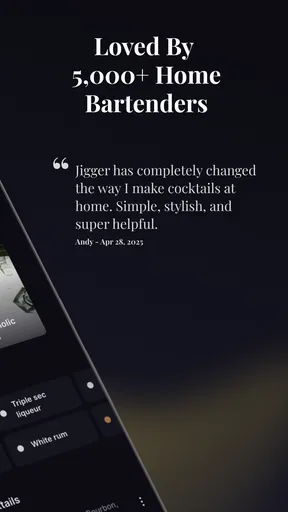
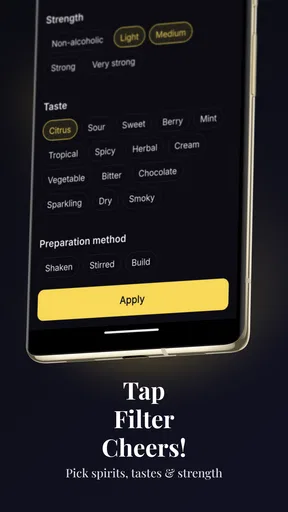
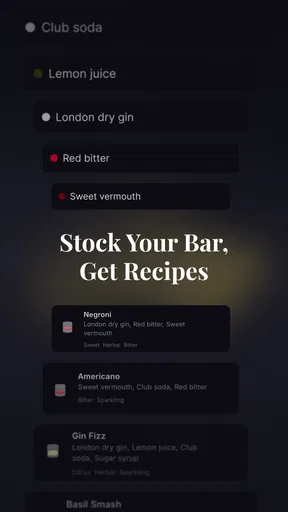
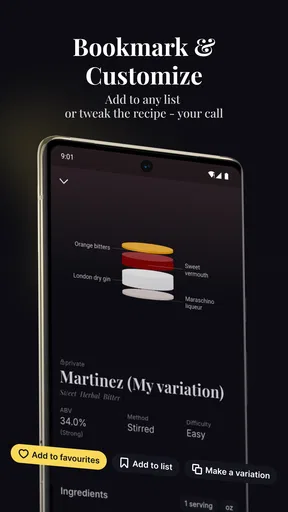
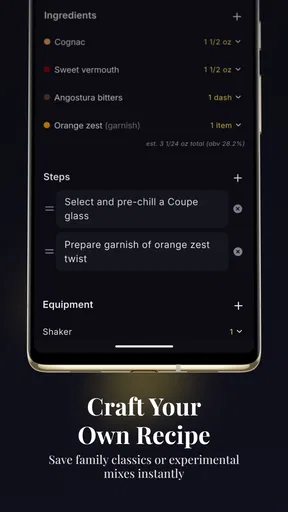
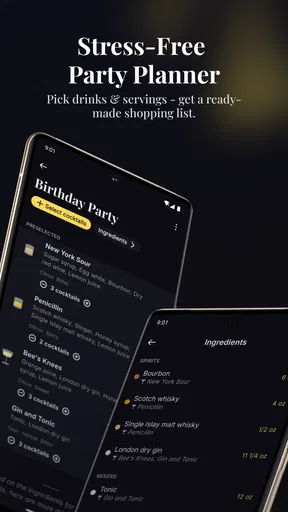
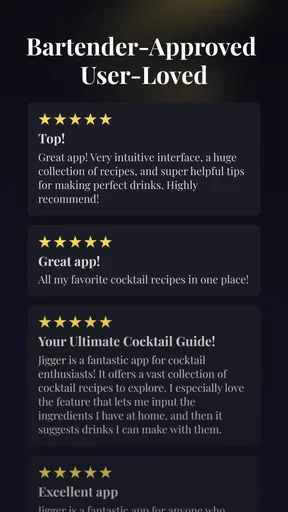
Our Review of Jigger: Cocktail Drink Recipes
 Analysis by Appyee
I opened Jigger expecting a simple cocktail recipe collection, but it feels more useful when treated as a small companion for making decisions at the home bar. The app is built around the ingredients you already have, so the first question is not “Which famous drink should I search for?” but “What can I make with this bottle, mixer, or leftover garnish?” That change in approach makes it practical for beginners who do not yet know cocktail names by heart.
It is a free Food & Drink app from Oleh Zasadnyy, with optional in-app purchases ranging from $3.99 to $24.99 per item. The age rating is Everyone, and its current version is 2.11.0. I would describe it as a recipe browser with a party-planning and mixology-toolkit mindset rather than a complete bartending course. It can help me choose a drink and organize an evening, but it does not replace learning basic technique or buying the right tools.
What to expect when you open Jigger
The main idea is straightforward: use the bar you have as the starting point for cocktail discovery. That is more helpful than a conventional recipe app that presents hundreds of drinks without considering whether I own the required ingredients. If I have a bottle of gin, some citrus, and a sweet mixer, the useful result is a shortlist of possibilities rather than an attractive recipe that sends me back to the store.
The app’s store summary presents it as cocktail recipes from your bar, with party planning and mixology tools included in the broader experience. In daily use, I would approach those parts separately. The recipe side helps with an immediate drink, while the planning side makes more sense before a gathering, when I want to think about variety, supplies, and the number of people I am serving.
That distinction matters for first-time users. I would not install it expecting a video lesson for every technique, a bartender certification course, or a replacement for a physical jigger. The name may suggest precise measuring, but the real value is in reducing the mental work of choosing a cocktail. I still need to measure carefully, taste responsibly, and understand that the same recipe can behave differently depending on the ice, glass, dilution, and quality of the ingredients.
The app has reached over 10 thousand installs and holds a 4.3 average from around 139 ratings. Those figures suggest that it has found a modest but interested audience, rather than being an enormous general-purpose platform. I see that as a good fit for someone who wants a focused home-bar tool and does not need a social network built around drinks.
Who will get the most from it
I think Jigger is especially suitable for three kinds of people. The first is a beginner who has bought a few spirits and wants guidance without reading a full cocktail book. The second is a host planning a casual evening and trying to avoid purchasing a completely different ingredient for every guest. The third is an experienced home mixer who enjoys browsing combinations and wants a quicker way to turn available bottles into ideas.
It is less convincing for somebody who already has a carefully organized recipe library and knows exactly what they want to make. In that situation, a dedicated notes app, a printed book, or a trusted specialist reference may be faster. It is also not my first choice for someone who wants detailed visual instruction on shaking, stirring, straining, or balancing flavors. The app can point me toward a drink, but practice is still required at the counter.
From installation to the first useful drink
I’d start this section by treating setup as a chance to describe the bar honestly, not as a test of how many bottles I own. That makes the first suggestions more useful and exposes practical gaps—like a missing citrus ingredient or an awkward preparation step—before I commit to a recipe. From there, the next section can focus on choosing a first drink that is simple enough to teach me something.
Start with the bar you actually have
My advice is not to begin by browsing randomly. First, look at the bottles and mixers in front of you. Pick one base spirit, then identify one sour or fresh element and one sweet, bitter, sparkling, or aromatic component. Entering or selecting only what is genuinely available gives the app a meaningful job: narrowing the field instead of encouraging an unrealistic shopping list.
This approach also exposes an important trade-off. A recipe may technically match the ingredients I own while still being inconvenient because it depends on a garnish, a particular glass, or a preparation step I cannot complete. I treat the first results as suggestions, not promises. Before committing, I check every ingredient and decide whether the drink is realistic for the time and equipment I have.
For a first attempt, I would choose something with a short ingredient list and a familiar preparation method. That makes it easier to tell whether a disappointing result comes from the recipe, the proportions, the ice, or my technique. Starting with an elaborate drink can create confusion because too many variables change at once.
Make the first success deliberately simple
A realistic first-evening workflow would be to open the app before dinner, select the spirits and mixers already in the kitchen, and shortlist two drinks rather than trying to make everything that appears. I would choose one option that uses the most perishable ingredient first and another that relies on shelf-stable items. This prevents a common home-bar mistake: choosing a recipe because it looks appealing and then discovering that half the required ingredients are missing.
Once I choose a drink, I read the recipe from beginning to end before touching the shaker or glass. I set out the ingredients, prepare the garnish, and measure into a small container if I am still learning. That extra step may feel slower, but it makes the first result more repeatable. It also helps me notice whether the recipe assumes a tool or ingredient that I had overlooked.
The quickest path to a meaningful success is to use the app for selection, then use a calm, measured workflow for preparation. Jigger can reduce the decision fatigue, but it cannot rescue a rushed pour. I would rather make one balanced drink and remember what worked than produce several inconsistent ones while jumping between recipes.
Use the planning side before guests arrive
The party-planning angle becomes useful when I stop thinking in terms of individual cocktails and start thinking in terms of a manageable menu. I would select a small group of drinks that share some ingredients, then check whether the group gives guests enough choice without requiring an entire specialist bar. Sharing citrus, syrups, or a base spirit can make preparation much easier than offering unrelated recipes.
A practical trick is to separate the menu into a familiar option, a lighter or sparkling option, and one drink for guests who prefer a stronger flavor. Even if the app offers many possibilities, I would resist presenting too many choices. A short menu speeds up service and makes shopping more predictable. It also means I can prepare common components in advance while leaving the final mixing for later.
For a small gathering, I would use the app as a checklist rather than as an automatic party solution. I would write down the selected recipes, count the likely servings, and add extra ingredients for failed experiments or generous pours. The app can help me organize the ideas, but I remain responsible for quantities, timing, storage, and making sure guests can choose non-alcoholic alternatives.
Where first-time users may hesitate
The biggest point of confusion is likely to be the difference between having an ingredient and having the right version of an ingredient. A generic citrus mixer may not behave like fresh juice. A sweetener may be thicker or less sweet than the one assumed by a recipe. A substitute can work, but I should expect the flavor to shift rather than treating it as an exact match.
Another source of friction is equipment. A cocktail can be listed as possible with the ingredients in my bar, yet still be awkward without a shaker, strainer, mixing glass, bar spoon, or suitable ice. I do not see that as a flaw unique to this app; it is a limitation of translating cocktail recipes into a phone interface. Before shopping, I check the preparation method and decide whether a jar, spoon, or ordinary kitchen measure can safely do the job.
Measurements deserve attention too. Beginners often pour by eye because the drink looks casual, but small differences matter when there are only a few ingredients. I use a proper measure whenever possible and keep notes about changes I make. If I replace an ingredient or adjust sweetness, recording that choice turns the app into a personal learning tool instead of a one-time recipe viewer.
How the free and paid model affects the decision
Jigger is free to install, which makes it easy to test the basic workflow before spending anything. Optional purchases are available at prices from $3.99 to $24.99 per item. I would not pay immediately. I would first confirm that the available recipes, ingredient matching, and planning approach fit the way I actually mix drinks.
The purchase range is wide enough that I would want to understand what each item unlocks before choosing one. For a casual user who makes a cocktail once in a while, the free experience may be sufficient. Someone who regularly hosts gatherings or wants a broader toolkit may find paid content more reasonable, but only if it saves real time rather than simply adding more browsing.
This is also where the app compares differently with the usual alternatives. A general web search offers more scattered recipes and often surrounds them with unrelated material. A traditional cocktail book gives dependable structure and context, but it cannot filter itself around the bottles on my shelf. A notes app is excellent for personal recipes, yet it requires me to build the collection manually. Jigger sits between those options: more tailored than a book in the moment, more focused than a search engine, and less personal than a library I have curated over years.
Three habits that make it more useful
My first useful habit would be to treat ingredient matching as a planning filter, not a guarantee of perfect compatibility. After finding a candidate, I check the balance of strong, sour, sweet, and diluting elements. This prevents the common mistake of selecting a drink simply because every item appears somewhere in the kitchen.
Second, I would group recipes by shared preparation rather than only by spirit. If several choices require the same citrus preparation or similar glassware, I can prepare the workspace once and make the evening less chaotic. That is a less obvious benefit of a recipe-and-planning tool: it can help me organize movement around the kitchen, not just choose flavors.
Third, I would keep a short personal record outside the app of what worked, what was too sweet, and which substitutions were successful. This matters because a recipe that is technically available may not suit my taste. Over time, those notes become a filter that the original ingredient list cannot provide. It is also a practical way to avoid repeating an expensive experiment.
When another option is better
I would choose a specialist book over Jigger when I want history, technique explanations, classic variations, and a stable reference I can read without handling a phone near ice and liquid. I would choose a general search engine when I need an unusual ingredient or a very specific professional technique that a focused home-bar app may not cover as deeply.
I would also skip it if my goal is alcohol-free drink development only, unless the recipes I need happen to fit that use. The app is centered on cocktails and bar ingredients, so it is most natural for people who want mixed drinks rather than a broad beverage database. Likewise, somebody looking for nutrition tracking, grocery delivery, or inventory accounting should not assume that a cocktail-focused tool will replace those categories of app.
For a first-time user, the sensible test is simple: install it, enter a realistic selection of ingredients, and see whether it produces a drink I would genuinely make tonight. If the result is useful, the app has earned a place in my kitchen. If I still spend more time searching than preparing, a book or a personal recipe collection may suit me better.
My recommendation after using it
Jigger works best as a decision-making layer between a cupboard full of bottles and an actual drink. I like that it encourages me to begin with what I own, and I find the party-planning idea more valuable when I use it to build a small, shared-ingredient menu instead of an oversized cocktail list. Those are practical strengths for beginners who feel overwhelmed by cocktail terminology.
The limitations are equally clear. It cannot judge the quality of my ingredients, correct poor measuring, teach every physical technique, or guarantee that a substitution will taste right. The optional purchases also mean I would inspect the available free experience before deciding whether the expanded toolkit is worth the cost. These are not reasons to dismiss it, but they do define the right expectations.
Overall, I would recommend this free Food & Drink app to a new home bartender, an occasional host, or anyone who looks at a half-stocked bar and has no idea where to begin. Its most successful use is modest: choose one achievable recipe, prepare it carefully, and learn from the result. With that mindset, Jigger becomes a reassuring first step rather than an overwhelming catalog, and it gives me a practical reason to experiment with the ingredients already on hand.
Verdict
Strengths of Jigger: Cocktail Drink Recipes
- Clear step-by-step recipes make cocktails easy to recreate at home.
- Ingredient-based search helps you find drinks using what you already have.
- Useful measurements support consistent results from one drink to the next.
- Includes classic and creative cocktail ideas for different preferences.
- Clean interface makes browsing recipes quick and enjoyable.
Limitations of Jigger: Cocktail Drink Recipes
- Some recipes may require premium spirits or hard-to-find ingredients.
- The app may not suit users looking for detailed video instructions.
- Recipe availability can vary by device version or app updates.
- Cocktail suggestions may not account for individual allergies or diets.
- Frequent drinkers may find the selection limited compared with larger databases.
Similar Picks in This Category
View All
Rappi: Food Delivery, Grocery
Rappi, Inc - Delivery3.5

McDonald’s: Cupons e Delivery
Arcos Dorados4.3

Swiggy: Food Instamart Dineout
Swiggy4.7

Blinkit: Groceries & more
Blinkit4.8

foodpanda: food & groceries
Foodpanda GmbH a subsidiary of Delivery Hero SE4.0

Zomato: Food Delivery & Dining
Zomato4.7
Frequently Asked Questions
What is Jigger: Cocktail Drink Recipes?
Jigger: Cocktail Drink Recipes is a cocktail reference and recipe app designed to help users discover, prepare, and organize mixed drinks. It typically provides ingredient lists, measurements, preparation instructions, and drink categories, making it useful for both beginners learning basic techniques and experienced home bartenders looking for inspiration. Its main focus is practical recipe guidance rather than ordering drinks or delivering alcohol.
Does Jigger include recipes for beginners?
Yes, the app is suitable for beginners because its recipes generally present the required ingredients and explain the preparation process in a straightforward format. Users can explore familiar classics as well as more creative combinations, then follow the suggested measurements and mixing instructions. However, beginners should still read each recipe carefully, use appropriate glassware and tools, and drink responsibly, since results can vary depending on ingredient brands and serving sizes.
Can I use Jigger without owning professional bar equipment?
You do not necessarily need a fully equipped home bar to use Jigger. Many recipes can be prepared with simple items such as a glass, spoon, measuring tool, and strainer, although some drinks may recommend a shaker, muddler, or specialized glass. A reliable jigger or measuring cup is especially helpful because accurate proportions affect both flavor and alcohol strength. The app is most useful when you adapt recipes to the equipment available.
Does Jigger support non-alcoholic or customizable cocktail recipes?
The availability of mocktails and customization depends on the app’s recipe collection and current version, so users should check the categories and individual recipe details after installation. Many cocktail apps allow substitutions, making it possible to replace spirits with non-alcoholic alternatives or adjust sweetness, acidity, and serving size. Nevertheless, not every recipe will have a direct alcohol-free version, and substitutions can noticeably change the final taste.
Is Jigger: Cocktail Drink Recipes free to download and use?
The app’s download model, advertising, and premium features may vary between Android and iOS and can also change through updates. Before installing, review the store listing for information about in-app purchases, subscriptions, locked recipes, and offline access. Even if the basic recipe collection is free, some advanced features or additional content may require payment. Always check the current terms shown in your device’s official app store.
